

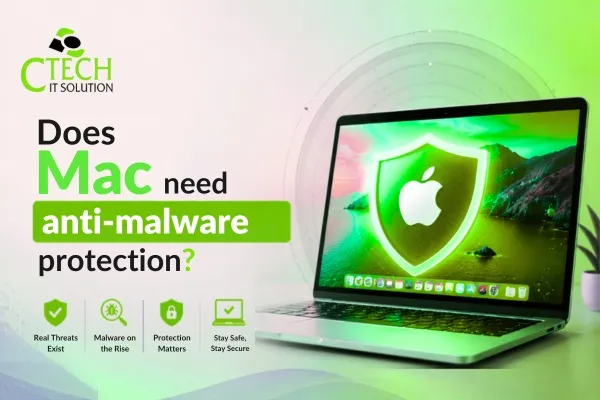
Does Mac need anti-malware protection?
Hello Reader!
Welcome to the blog page of Ctech IT Solutions, one of the best Apple Repair Service Center in Kolkata.
Apple Macs have long enjoyed a reputation for being more secure than many other computers. This has led many users to believe that Macs are completely immune to viruses, malware, and cyber threats. However, the question remains: Do Mac needs anti-malware protection? The short answer is yes. While macOS includes several built-in security features, Macs are not invulnerable to modern cyber threats.
At Ctech IT Solutions, recognized as the Best Apple Repair Service Center in Kolkata, we often encounter Mac users who assume their devices are completely protected without additional security measures. Understanding the risks and the importance of anti-malware protection can help keep your Mac safe and running smoothly.

Why Are Macs Considered Secure?
Apple has invested heavily in macOS security. Some built-in features include:
- Gatekeeper, which verifies applications before installation.
- XProtect is Apple’s built-in malware detection system.
- Sandboxing, which limits the ability of apps to access sensitive data.
- System Integrity Protection (SIP), which prevents unauthorized modifications to critical system files.
These features provide a strong foundation for security, but they do not guarantee complete protection against all cyber threats.
Do Mac Need Anti-Malware Protection Despite Built-In Security?
The belief that Macs do not require antivirus or anti-malware software is outdated. Cybercriminals increasingly target macOS users because of the growing popularity of Apple devices.
Some common threats affecting Macs include:
Adware
Adware is one of the most common forms of malware found on Macs. It displays unwanted advertisements, redirects browsers, and can significantly slow down system performance.
Phishing Attacks
Mac users are just as vulnerable to phishing emails and fake websites as any other computer user. These attacks aim to steal passwords, banking details, and personal information.
Spyware
Spyware secretly collects information from your Mac and transmits it to cybercriminals. This can compromise privacy and sensitive data.
Ransomware
Although less common on macOS than on Windows, ransomware attacks on Macs do occur. These attacks can lock users out of their files until a ransom is paid.
Because of these risks, the answer to “Do Mac needs anti-malware protection?” is increasingly becoming a definite yes.

Signs Your Mac May Be Infected
If your Mac is experiencing any of the following symptoms, malware could be the cause:
- Slow performance
- Frequent application crashes
- Unexpected pop-up advertisements
- Browser redirects
- Unknown applications appearing on the system
- Excessive battery drain
- High CPU usage without explanation
If you notice these issues, seeking professional assistance from the Best Apple Repair Service Center in Kolkata can help identify and remove potential threats.
Benefits of Anti-Malware Protection for Macs
Enhanced Security
Anti-malware software provides an additional layer of defense beyond Apple’s built-in security mechanisms.
Real-Time Threat Detection
Modern anti-malware programs continuously monitor system activity and block suspicious behavior before damage occurs.
Protection Against Emerging Threats
Cyber threats evolve rapidly. Anti-malware software receives regular updates to detect the latest malware variants.
Safer Browsing Experience
Many anti-malware solutions include web protection features that block malicious websites and phishing attempts.
Improved Peace of Mind
Knowing your Mac is actively protected allows you to browse, work, and communicate online with greater confidence.
Also Read: Preventative Maintenance Tips to Avoid Frequent Laptop Repairs
Best Anti-Malware Software for Mac Users in 2026
Many Mac users believe their devices are completely immune to malware, but cyber threats continue to evolve. Using reliable anti-malware software can provide an additional layer of protection against phishing attacks, adware, ransomware, and spyware.
Some of the most popular anti-malware solutions for Mac users in 2026 include Malwarebytes, Bitdefender Antivirus for Mac, Norton 360 Deluxe, Intego Mac Internet Security, and Avast Security. These tools offer real-time protection, malware scanning, web security, and threat detection features designed specifically for macOS.
While Apple’s built-in security features such as Gatekeeper and XProtect provide excellent protection, dedicated anti-malware software can help identify and remove advanced threats before they cause damage.
At Ctech IT Solutions, the Best Apple Repair Service Center in Kolkata, we recommend combining trusted anti-malware software with regular macOS updates and safe browsing habits to keep your Mac secure and performing at its best.

Data Recovery Solutions for Mac Users
Losing important data on your Mac can be stressful, whether it happens due to accidental deletion, hardware failure, software corruption, malware attacks, or an unexpected system crash. Fortunately, several data recovery solutions are available to help Mac users retrieve lost files and minimize downtime.
One of the first recovery options is Time Machine, Apple’s built-in backup system, which allows users to restore deleted files and previous versions of documents. For files that are not backed up, professional data recovery software may help recover lost photos, videos, documents, and other important data.
However, in cases involving damaged SSDs, failed hard drives, liquid damage, or logic board issues, professional data recovery services are often required. Attempting DIY recovery methods on a physically damaged device can sometimes worsen the situation and reduce the chances of successful recovery.
To protect valuable data, Mac users should regularly back up their files using Time Machine, iCloud, or external storage devices. Preventive measures can significantly reduce the risk of permanent data loss.
At Ctech IT Solutions, the Best Apple Repair Service Center in Kolkata, we provide expert Mac diagnostics, data recovery assistance, and repair services to help recover critical files and restore your device to optimal condition.
Can Malware Slow Down Your MacBook?
Yes, malware can significantly slow down your MacBook. Malicious software often runs in the background, consuming valuable CPU power, memory, and storage resources. As a result, you may notice slower performance, longer startup times, frequent application crashes, excessive battery drain, or overheating.
Common threats such as adware, spyware, and unwanted programs can affect your Mac’s efficiency even if they do not cause obvious damage. If your MacBook suddenly becomes sluggish without any apparent reason, malware could be a contributing factor.
Regular software updates, safe browsing habits, and anti-malware protection can help prevent these issues. If you suspect malware is affecting your device, professional diagnostics can identify and remove hidden threats.
At Ctech IT Solutions, the Best Apple Repair Service Center in Kolkata, we provide expert MacBook diagnostics, malware removal, and performance optimization services to keep your Apple devices running smoothly.

Common Myths About Mac Security You Should Stop Believing
For years, Apple devices have been known for their strong security features. While Macs are generally considered safer than many other computers, several myths about Mac security continue to circulate. Believing these misconceptions can leave your device vulnerable to cyber threats. As the Best Apple Repair Service Center in Kolkata, Ctech IT Solutions often helps users understand the reality behind Mac security.
Myth 1: Macs Cannot Get Viruses
One of the most common myths is that Macs are completely immune to viruses and malware. While macOS includes advanced security features, Macs can still be affected by malware, ransomware, adware, and phishing attacks. Cybercriminals increasingly target Mac users as Apple devices become more popular.
Myth 2: Built-in Security Is Always Enough
Apple provides excellent built-in protections such as Gatekeeper, XProtect, and System Integrity Protection. However, these tools may not catch every emerging threat. Additional security measures and safe browsing habits remain important for protecting your Mac.
Myth 3: Only Windows Computers Need Antivirus Software
Many users assume antivirus or anti-malware software is unnecessary on a Mac. In reality, modern cyber threats target all operating systems. Reliable anti-malware protection can add an extra layer of security and help prevent infections.
Myth 4: Macs Are Safe from Phishing Attacks
Phishing attacks do not depend on your operating system. Fake emails, fraudulent websites, and social engineering scams can affect Mac users just as easily as anyone else. Staying alert and verifying links before clicking is essential.
Myth 5: Software Updates Are Optional
Some users delay updates because they believe their Mac is already secure. However, Apple regularly releases updates to fix security vulnerabilities. Ignoring updates can leave your device exposed to known threats.
Myth 6: Public Wi-Fi Is Safe for Mac Users
Using a Mac does not automatically protect you on public networks. Unsecured Wi-Fi connections can expose sensitive information to hackers. Using a VPN and avoiding sensitive transactions on public networks is highly recommended.
Best Practices for Mac Security
In addition to anti-malware protection, Mac users should follow these security habits:
Keep macOS Updated
Apple regularly releases security patches to address vulnerabilities.
Download Apps from Trusted Sources
Avoid installing software from unknown websites or unverified developers.
Use Strong Passwords
Create unique and complex passwords for all accounts.
Enable Two-Factor Authentication
This adds an extra layer of security to your Apple ID and other important accounts.
Regularly Back Up Data
Use Time Machine or cloud storage solutions to protect important files.
Be Cautious with Emails
Avoid clicking suspicious links or downloading unexpected attachments.
Top Reasons MacBooks Need Professional Servicing
MacBooks are known for their reliability, but regular professional servicing is essential to maintain peak performance. Over time, dust accumulation, battery wear, software issues, overheating, and storage problems can affect your device’s efficiency.
Professional servicing helps identify hidden hardware faults, remove malware, optimize system performance, improve battery health, and prevent costly repairs in the future. It also ensures that your MacBook receives proper diagnostics and expert care using the right tools and techniques.
Whether you’re experiencing slow performance, overheating, unexpected shutdowns, or hardware issues, timely servicing can extend the lifespan of your MacBook and keep it running smoothly.
At Ctech IT Solutions, the Best Apple Repair Service Center in Kolkata, we offer comprehensive MacBook diagnostics, repairs, upgrades, and maintenance services to ensure your Apple device performs at its best.
When to Seek Professional Help
If your Mac has become unusually slow, displays persistent pop-ups, or shows signs of malware infection, professional diagnosis may be necessary. At Ctech IT Solutions, the Best Apple Repair Service Center in Kolkata, our experienced technicians provide comprehensive Mac diagnostics, malware removal, software troubleshooting, and hardware repair services.
Whether you own a MacBook Air, MacBook Pro, iMac, Mac Mini, or Mac Studio, professional maintenance can help ensure optimal performance and security.

FAQ
1. Do Macs really need anti-malware software?
Yes. While macOS has built-in security features, anti-malware software provides additional protection against modern threats such as adware, spyware, phishing attacks, and ransomware.
2. Can Macs get viruses and malware?
Yes. Although Macs are generally secure, they are not immune to malware, viruses, and other cyber threats that can compromise performance and data security.
3. Isn’t Apple’s built-in security enough?
Apple’s security features like Gatekeeper and XProtect offer strong protection, but dedicated anti-malware tools can detect and block newer or more sophisticated threats.
4. What are the signs of malware on a Mac?
Common signs include slow performance, frequent pop-ups, browser redirects, unusual battery drain, overheating, and unexpected application crashes.
5. How can I keep my Mac protected from malware?
Keep macOS updated, avoid downloading software from untrusted sources, use strong passwords, practice safe browsing habits, and consider installing reputable anti-malware software.
Conclusion
So, Do Mac needs anti-malware protection? Absolutely. While Apple devices are designed with robust security features, they are not immune to cyber threats. Malware, adware, phishing attacks, and spyware continue to target Mac users worldwide.
Using reliable anti-malware software, practicing safe browsing habits, and keeping your system updated are essential steps for maintaining a secure Mac. If you encounter security issues or suspect malware infection, trust Ctech IT Solutions, the Best Apple Repair Service Center in Kolkata, for expert assistance and reliable solutions.
Protecting your Mac today can save you from costly repairs, data loss, and security breaches tomorrow.
Categories:

Amartya Banerjee
amartya
Related Posts



Recent Posts

Why Does Your iPhone Get Hot While Charging?
Aug 7, 2026
How Can You Check Your MacBook Battery Health?
Aug 7, 2026
M1, M2 or M3 MacBook: Which Needs Different Repairs?
Jul 28, 2026
Why Does Your Laptop Overheat Even After Cleaning?
Jul 24, 2026