

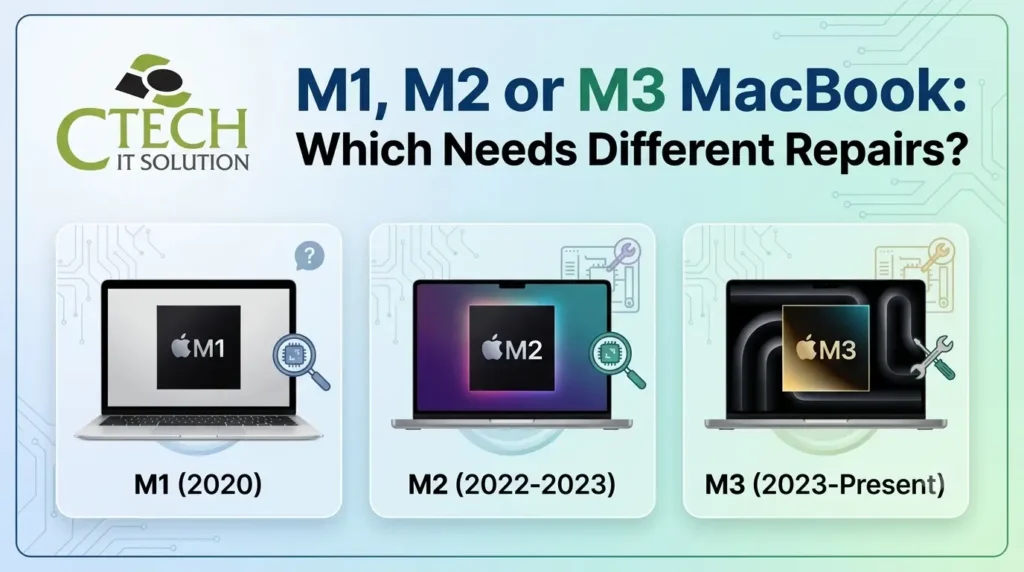
Do M1, M2 & M3 MacBooks Need Different MacBook Repair?
Not all Apple Silicon MacBooks require the same repair approach. Understanding the hardware differences between M1, M2, and M3 models helps you choose the Best Macbook Repair Service Center in Kolkata. From diagnostics to MacBook battery replacement for M1 M2 M3, expert servicing ensures reliable performance, genuine parts, and long-term device health.
Choosing the Best Macbook Repair Service Center in Kolkata ensures model-specific repairs. Understanding what is the difference between M1, M2, and M3 MacBook repairs helps protect your device and improve longevity.
Yes, M1, M2, and M3 MacBooks often require different repair approaches because each generation has unique chip architecture, internal design, and component integration. While common issues such as screen, battery, keyboard, or logic board faults can occur across models, accurate diagnostics and model-specific repair techniques help ensure reliable performance, data protection, and long-lasting results.
What is the Difference Between M1, M2, and M3 MacBook Repairs?
The main difference between M1, M2, and M3 MacBook repairs lies in their hardware architecture, integrated components, repair procedures, and diagnostic requirements. While many repairs appear similar externally, each Apple Silicon generation requires model-specific tools, compatible parts, firmware knowledge, and specialised repair expertise.
Understanding Apple Silicon Evolution
M1 MacBook
Released as Apple’s first in-house chip, the M1 introduced:
- Unified Memory Architecture
- Integrated GPU
- High power efficiency
- Compact logic board
- Fanless design in some models
M2 MacBook
Compared with M1:
- Improved GPU
- Faster memory bandwidth
- Updated charging system
- Modified display assemblies
- Different thermal design
M3 MacBook
The newest generation features:
- Advanced chip fabrication
- Better graphics processing
- Enhanced AI capabilities
- Updated internal layout
- New power management systems
Each generation requires different diagnostic procedures during repair.
Common Repairs Across M1, M2 & M3
Professional repair centres commonly handle:
- Liquid damage
- Display replacement
- Logic board repair
- Charging issues
- Keyboard replacement
- Trackpad repair
- Speaker replacement
- SSD troubleshooting
- Wi-Fi problems
- Camera faults
MacBook Battery Replacement for M1 M2 M3
Battery technology differs across Apple Silicon models.
Professional replacement includes:
- Battery health diagnostics
- Safe battery removal
- Genuine compatible battery installation
- Power calibration
- Performance testing
- Safety inspection
Attempting battery replacement without specialised equipment may damage nearby components.
Logic Board Repair Differences
Unlike older Intel MacBooks, Apple Silicon integrates several components into a compact logic board.
Repairs often involve:
- Microsoldering
- Circuit tracing
- Power rail diagnosis
- Component-level repair
- Firmware restoration
Experienced technicians evaluate whether repair is feasible before recommending board replacement.
Display Repair Considerations
Modern Retina and Liquid Retina displays include:
- Display panel
- Backlight system
- Camera module
- Ambient light sensors
- Display cables
Improper installation can affect brightness, colour accuracy, or FaceTime functionality.
SSD and Data Recovery
Apple Silicon MacBooks use highly integrated storage systems.
Professional engineers perform:
- Storage diagnostics
- Data recovery assessment
- Firmware evaluation
- Boot failure analysis
Early diagnosis increases the chances of recovering important files.
Signs Your MacBook Needs Professional Repair
Consider professional inspection if you notice:
- Battery draining rapidly
- Device overheating
- Random shutdowns
- Charging failure
- Flickering display
- Water damage
- No power
- Slow performance
- Keyboard malfunction
- Fan or speaker issues
Why DIY Repairs Can Be Risky?
Apple Silicon devices contain highly integrated components.
DIY repairs may result in:
- Component damage
- Display failure
- Battery hazards
- Data loss
- Warranty complications
- Incorrect calibration
- Additional repair costs
Professional repair reduces these risks. Check our social media page click: https://www.facebook.com/ctechitsolutionofficial/
Comparison Table
| Feature | M1 | M2 | M3 |
| Chip Generation | First Apple Silicon | Second Generation | Third Generation |
| Diagnostic Complexity | High | Higher | Advanced |
| Battery Design | Model-specific | Updated configuration | Latest architecture |
| Logic Board Layout | Compact | More integrated | Highly integrated |
| Display Technology | Retina/Liquid Retina | Updated panels | Advanced display options |
| Repair Expertise Needed |
How to Choose the Best Repair Centre?
Look for:
- Certified technicians
- Apple Silicon experience
- Component-level repair capability
- Genuine compatible parts
- Warranty support
- Transparent diagnostics
- Data protection practices
- Quality testing
Choosing the best MacBook repair centre for M1 M2 M3 MacBooks improves repair reliability and device longevity. Check Client’s or user Testimonial click: https://bit.ly/3RBqQlO
Benefits of Professional MacBook Repair
- Accurate diagnostics
- Reduced downtime
- Safe repairs
- Improved device lifespan
- Better performance
- Reliable battery operation
- Quality replacement parts
- Comprehensive testing
Why Choose C Tech IT Solution?
Trusted Apple Silicon Repairs by Chandan Saha
C Tech IT Solution, led by Chandan Saha, specialises in professional Apple device diagnostics and repair services. The team provides advanced solutions for M1, M2, and M3 MacBooks using modern equipment and systematic troubleshooting techniques.
Services include:
- Logic board repair
- Liquid damage repair
- Screen replacement
- MacBook battery replacement for M1 M2 M3
- Keyboard repair
- Charging port repair
- SSD troubleshooting
- Data recovery support
- Performance optimisation
- Preventive maintenance
Every repair follows a structured diagnostic process to identify the underlying issue before recommending the most suitable solution, helping customers maximise the lifespan and performance of their MacBooks. Book Our Service click: https://ctechitsolution.com/book-our-service
Battery Services
- Battery Health Check
- Battery Replacement
- Charging Issues
- Power Management
- Battery Optimisation
Hardware Repairs
- Screen Replacement
- Keyboard Repair
- Trackpad Repair
- Camera Repair
- Speaker Repair
Preventive Maintenance
- Performance Optimisation
- Data Backup
- Cooling System Inspection
- macOS Troubleshooting
- Device Health Check
Featured Snippet Table
| Question | Answer |
| What is the difference between M1, M2, and M3 MacBook repairs? | Each generation has unique hardware architecture, integrated components, and diagnostic requirements, requiring specialised repair techniques. |
| Can M1, M2, and M3 batteries be replaced? | Yes. Battery replacement should be performed by trained technicians using compatible parts and appropriate calibration procedures. |
| Are Apple Silicon MacBooks harder to repair? | Yes. Their compact, integrated design requires specialised tools, expertise, and component-level diagnostics. |
| Which repair centre should I choose? | Select the Best Macbook Repair Service Center in Kolkata with proven Apple Silicon repair experience and transparent diagnostics. |
Conclusion
M1, M2, and M3 MacBooks may appear similar, but each generation requires specialised repair expertise, advanced diagnostics, and model-specific repair techniques. Choosing the Best Macbook Repair Service Center in Kolkata helps ensure accurate fault diagnosis, safe MacBook battery replacement for M1 M2 M3, and reliable long-term performance. Professional servicing protects your investment and extends the life of your Apple Silicon MacBook. Visit our Physical Address click the map link: https://maps.app.goo.gl/v77HPQJZ3aRGJY3e6
FAQs
What is the difference between M1, M2, and M3 MacBook repairs?
Although many repairs look similar, each Apple Silicon generation has different internal architecture, repair procedures, firmware requirements, and compatible replacement parts.
Can I replace my M1, M2, or M3 MacBook battery?
Yes. Professional MacBook battery replacement for M1 M2 M3 ensures safe installation, calibration, and optimal battery performance.
Which is the best MacBook repair service for the M1 MacBook?
Choose a repair centre with Apple Silicon expertise, advanced diagnostic tools, and experience in component-level repairs for M1 devices.
Can liquid-damaged M3 MacBooks be repaired?
Many liquid-damaged devices can be repaired if diagnosed promptly. Early professional inspection improves the likelihood of successful restoration.
How do I choose the best MacBook repair centre for M1 M2 M3 MacBooks?
Look for experienced technicians, specialised diagnostic equipment, genuine compatible parts, repair warranties, and a proven track record with Apple Silicon devices.
Categories:

Pranab kundu
pranabkundu

Recent Posts

Why Does Your iPhone Get Hot While Charging?
Aug 7, 2026
How Can You Check Your MacBook Battery Health?
Aug 7, 2026
Why Does Your Laptop Overheat Even After Cleaning?
Jul 24, 2026
What Really Happens During Logic Board Repair?
Jul 22, 2026