

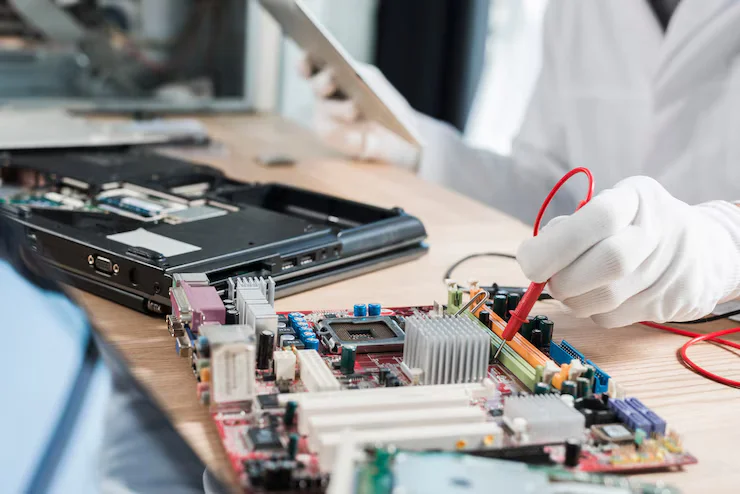
Benefits of Onsite Computer Repair for Office Setups
Computer repair for office setups offers fast, reliable fixes with minimal disruption. Discover how a reputed service center supports efficiency.
When your office computers slow down or suddenly crash during a busy workday, the impact can be immediate and stressful—especially when your team’s productivity relies entirely on these machines. In today’s fast-paced, tech-driven environment, the need for quick, reliable, and intelligent tech support has never been greater. That’s where onsite computer repair for office setups comes into play.
This isn’t just a convenience—it’s a smart operational decision that ensures minimal downtime, secure troubleshooting, and personalized attention tailored to your workplace environment.
Let’s dive into the key advantages of this solution, why it’s especially valuable in office settings, and how expert repair support, even from highly specialized service providers, can enhance workplace efficiency.
Why Office Tech Issues Need Fast, Onsite Solutions
Before we explore the specific benefits, it’s important to understand the context: modern office systems are interconnected. A software crash on one device can disrupt meetings, data flow, communications, and even client-facing activities.
Unlike home users, businesses can’t afford prolonged tech delays. Delays lead to lost hours, missed opportunities, and sometimes even compromised data.
That’s why onsite repairs offer a strategic edge, combining speed, technical expertise, and hands-on troubleshooting that remote or in-store services can’t always match.
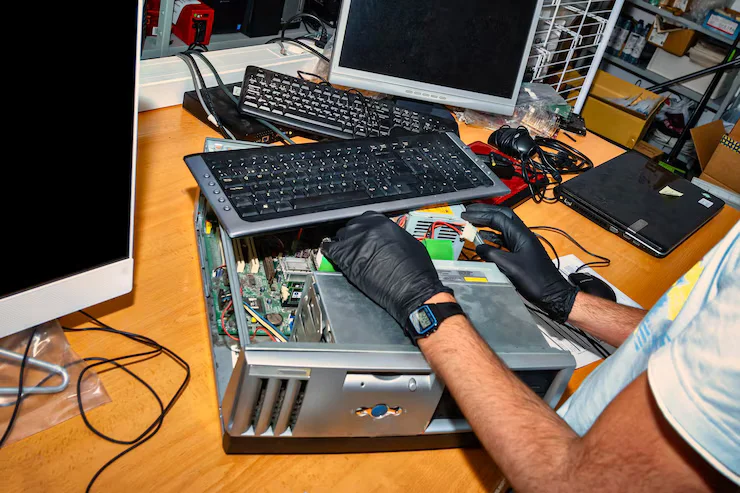
Key Benefits of Onsite Computer Repair for Office Setups
Whether you run a startup or a medium-sized business, these are the core advantages of onsite service:
1. Minimal Downtime and Faster Problem Resolution
Onsite technicians troubleshoot and repair problems on the spot. There’s no need to unplug devices, transport them, or wait in queues. This significantly reduces downtime and allows work to resume swiftly.
Example: If your accounting software crashes during billing, a technician can come in, fix it within an hour, and ensure your operations stay on track.
2. Holistic Diagnosis of Interconnected Systems
In an office, devices are part of a network. An onsite technician can evaluate how one issue may be affecting others—printers, servers, shared drives, etc.
- They assess the entire ecosystem.
- Identify both hardware and network-related issues.
- Prevent small problems from snowballing into bigger disruptions.
3. Expertise Tailored to Your Environment
Technicians working onsite can understand your team’s habits, your software stack, and your workflows. This enables customized support, especially for businesses using Mac setups, mixed OS environments, or proprietary tools.
For example, specialized professionals are trained to resolve macOS compatibility issues in hybrid environments—something generic tech support often misses.
4. Better Security and Data Control
When computers are taken offsite, you run the risk of exposing sensitive information—client files, passwords, business data.
Onsite repair ensures:
- No third-party data handling
- No need to transfer devices
- You stay in control of your physical and digital security
This is particularly critical for:
- Law firms
- Finance departments
- Startups with IP-sensitive content
5. Convenience and Cost-Effectiveness
Forget about packing up devices, filling out forms, or waiting days for updates. Onsite repair means:
- You save logistics time
- No transport fees
- Flexible scheduling during non-peak office hours
Over time, this makes onsite repair more cost-effective than you’d imagine—especially when bundled into annual IT maintenance contracts.
6. Support for Hardware and Software Together
Many office tech problems are hybrid in nature. An in-store repair might fix your screen, but won’t reinstall your software or reconnect your internal drives.
Onsite experts handle:
- Hardware replacements
- Driver reconfiguration
- System optimization
- Backup and recovery
- Internet and printer syncing
All of this happens without ever leaving your office.
Common Scenarios Where Onsite Repair Proves Invaluable
A few real-world examples include:
- Sudden blue screen or freezing of systems during project delivery
- Network printer failing during invoice printing
- iMacs or MacBooks not connecting to the shared drive
- Malware slowing down a team’s entire workflow
- Misconfigured server affecting all workstations
In each of these cases, onsite repair for office setups prevents cascading problems and gets things back to normal in hours, not days.
Why Office Setups Need Trusted Experts
Technology changes fast. From Windows updates to Apple silicon upgrades, devices are constantly evolving. What doesn’t change is the need for timely, professional service—especially when dealing with complex systems.
Partnering with certified technicians who specialize in your device type ensures:
- Genuine parts (if required)
- In-depth OS-level troubleshooting
- Device longevity
- Reduced need for replacements
They don’t just “fix” the device—they improve its ability to serve your business goals.
What to Look for in an Onsite Computer Repair Provider
If you’re planning to rely on onsite service, make sure your provider offers:
- Background-verified technicians
- Brand specialization (especially for Apple devices)
- Network and system knowledge
- Transparent service policies
- Emergency response support
- Preventive maintenance planning

Most Asked FAQs on Computer Repair for Office Setups
Q1. How quickly can onsite repairs be done in office setups?
Usually within a few hours. Priority depends on technician availability and the issue’s severity.
Q2. Is onsite support available for Apple devices in offices?
Yes, many professionals trained by Apple service centers offer onsite Mac support, including hardware replacement, OS reinstall, and performance tuning.
Q3. What if the device can’t be fixed onsite?
In rare cases, the device may need in-lab diagnostics. Reputed providers will back up your data, take it securely, and return it post-repair.
Q4. How secure is my business data during onsite repair?
Highly secure. Since your device never leaves the premises, you maintain complete control over access, reducing data exposure risks.
Q5. Can I schedule repairs after work hours to avoid disruption?
Absolutely. Many service providers offer flexible evening or weekend slots to minimize impact on daily operations.
Smart IT Choices Begin with Smart Repair Options
In an increasingly tech-dependent work culture, downtime is not just frustrating—it’s expensive. Having access to onsite computer repair for office setups is more than a convenience; it’s a proactive measure to protect your business continuity, employee productivity, and data security.
Whether you’re working in a hybrid setup or managing a fully Mac-based environment, onsite service brings the right tools to your doorstep. When delivered by specialists with years of experience, the value lies not just in fixing issues but in keeping your operations smooth, secure, and future-ready.
By making informed choices today, you futureproof your workplace technology for tomorrow.
Categories:

Sayanava Singha Roy
sayanava
Related Posts



Recent Posts

Is MacBook Air Battery Replacement Really Expensive?
Mar 28, 2026
When To Replace Your MacBook Battery?
Mar 26, 2026
MacBook Battery Dying Fast? Fix It!
Mar 24, 2026