


When To Replace Your MacBook Battery?
Hello Reader!
Welcome to the blog page of Ctech IT Solutions, one of the best laptop repair service center in Kolkata.
Your MacBook is designed to be sleek, powerful, and reliable—but like every electronic device, its battery will not last forever. Over time, even the best-performing MacBook starts showing signs of battery wear. If you’ve been wondering when to replace your MacBook Battery, you’re not alone. Battery issues are one of the most common concerns among MacBook users, especially those who rely on their laptops for work, studies, editing, or business.
At Ctech IT Solutions, known as the best laptop repair service center in Kolkata, we often meet customers who are confused about whether their MacBook needs a battery replacement or just a minor software check. In this detailed guide, we will explain everything you need to know about MacBook battery health, warning signs, causes of battery failure, and when it is the right time to replace your MacBook Battery.
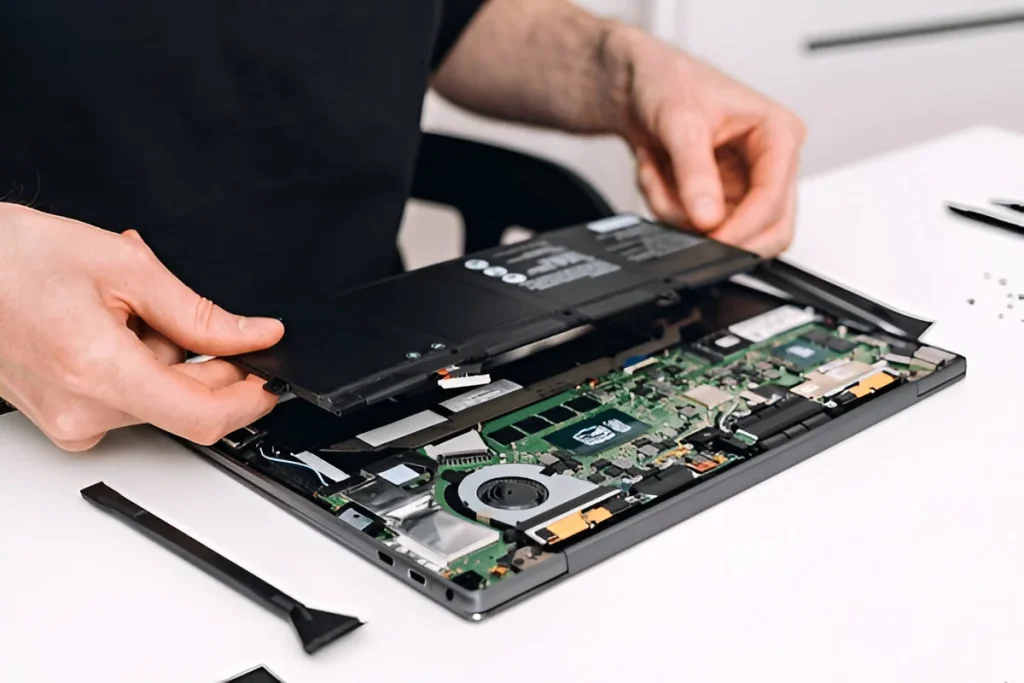
Why MacBook Battery Health Matters
A healthy battery is essential for the smooth performance of your MacBook. It doesn’t just power your laptop—it affects speed, portability, charging efficiency, and even the overall lifespan of your device.
A damaged or weak battery can lead to:
- Frequent shutdowns
- Poor backup time
- Overheating
- Slow performance
- Charging issues
- Swollen battery risks
That’s why understanding when to replace your MacBook Battery is important. Ignoring the signs can lead to bigger and more expensive hardware problems later.
As the best laptop repair service center in Kolkata, Ctech IT Solutions always recommends checking battery health before it starts affecting your MacBook’s internal components.

How Long Does a MacBook Battery Usually Last?
Apple MacBook batteries are generally designed to last for around 1000 charge cycles, depending on the model. A charge cycle means using 100% of your battery’s total capacity—not necessarily all at once.
For example:
- Using 50% one day and 50% the next day = 1 cycle
- Charging your MacBook multiple times a day can increase cycle count faster
In normal usage, a MacBook battery may last around 3 to 5 years. However, this depends on:
- Usage habits
- Charging patterns
- Temperature exposure
- Type of work done (editing, gaming, heavy software use)
- Original battery quality
If your MacBook is older and the battery is draining unusually fast, it may be time to replace your MacBook Battery.
Top Signs That Indicate You Need to Replace Your MacBook Battery
Let’s look at the most common warning signs.
1. Battery Drains Too Quickly
One of the earliest signs you need to replace your MacBook Battery is poor battery backup.
If your MacBook used to last 8–10 hours and now barely runs for 1–2 hours, the battery capacity may have degraded significantly.
This is especially frustrating for professionals, students, and remote workers who depend on portability.
If you’re facing this issue, visit the best laptop repair service center in Kolkata for a proper battery health diagnosis.
2. MacBook Shuts Down Suddenly
Does your MacBook suddenly switch off even when the battery shows 20%, 30%, or more?
This often happens when the battery is no longer able to provide stable power to the system. The battery percentage shown on screen may become inaccurate.
This is a major red flag and a clear sign to replace your MacBook Battery before it affects your work or causes data loss.
3. “Service Battery” Warning Appears
Apple makes it relatively easy to monitor battery health. If you see messages like:
- Service Recommended
- Replace Soon
- Replace Now
- Service Battery
then your MacBook is already telling you it may be time to replace your MacBook Battery.
You can check battery condition by:
For older macOS versions:
- Click the Apple menu
- Go to About This Mac
- Open System Report
- Click Power
Or simply:
- Hold the Option key
- Click the battery icon in the top menu bar
If you see any warning, don’t ignore it. At the best laptop repair service center in Kolkata, trained technicians can confirm whether replacement is necessary.

4. MacBook Only Works When Plugged In
If your MacBook turns off immediately when the charger is removed, the battery may have almost completely failed.
This means your MacBook is no longer functioning as a portable device, which defeats the entire purpose of owning one.
In such cases, you should replace your MacBook Battery as soon as possible to restore usability and avoid stress on the power system.
5. Battery Takes Too Long to Charge
A battery that charges unusually slowly or gets stuck at a certain percentage may be worn out or malfunctioning.
Some common symptoms include:
- Battery stuck at 1% or 80%
- Charging takes many hours
- Charger connected but battery not increasing properly
- Charging stops randomly
While software or adapter issues can also cause this, a weak battery is often the real problem.
A professional diagnosis from the best laptop repair service center in Kolkata can help identify the exact cause.
6. MacBook Becomes Unusually Hot
It is normal for a MacBook to warm up during heavy tasks. But if your laptop is heating excessively during basic use or charging, the battery may be under stress.
A damaged battery can cause internal heat build-up, which may affect:
- Logic board
- Keyboard
- Trackpad
- Display
- SSD performance
Overheating is not something to ignore. If your MacBook is getting hot often, it may be time to replace your MacBook Battery.
7. Swollen Battery or Bulging Body
This is the most serious and urgent sign.
A swollen battery can physically push against the MacBook’s internal parts and outer body. You may notice:
- Trackpad not clicking properly
- Keyboard raised slightly
- Bottom panel bulging
- Screen not closing fully
- Uneven body shape
If you notice any of these symptoms, stop using the laptop and get it checked immediately. A swollen battery can be dangerous and should be handled only by professionals.
At Ctech IT Solutions, the best laptop repair service center in Kolkata, battery swelling issues are handled with proper care and safe replacement procedures.
Also Read: iCloud Drive Not Syncing On Mac? Easy Tips to Solve the Problem

How to Check Your MacBook Battery Health
Before deciding to replace your MacBook Battery, it’s useful to check the current health status.
Method 1: Check Battery Condition
- Click the Apple icon
- Select System Settings or System Preferences
- Go to Battery
- View battery health and condition
Method 2: Check Cycle Count
- Click the Apple icon
- Go to About This Mac
- Click System Report
- Choose Power
- Look for Cycle Count
If your cycle count is nearing or exceeding Apple’s recommended limit and performance is dropping, you may need to replace your MacBook Battery.
Why MacBook Batteries Wear Out Faster
Many users unknowingly reduce battery life through everyday habits. Here are the most common reasons:
1. Constant Overcharging
Leaving your MacBook plugged in all the time can affect long-term battery health.
2. Excessive Heat
Using your MacBook on beds, cushions, or hot surfaces can trap heat and damage the battery.
3. Heavy Usage
Video editing, gaming, coding, multitasking, and resource-heavy software put more load on the battery.
4. Cheap Chargers
Using low-quality or duplicate chargers can damage both the battery and charging IC.
5. Old Age
Even if you use your MacBook carefully, battery cells naturally degrade over time.
If any of these apply to you, you may need to replace your MacBook Battery sooner than expected.

Should You Replace Your MacBook Battery or Buy a New MacBook?
This is a very common question.
The good news is that in many cases, you do not need to buy a new MacBook just because the battery is weak.
If your MacBook is still performing well otherwise, battery replacement is often a much more cost-effective solution.
You should replace the battery if:
- The laptop works fine on the charger
- Performance is still decent
- No major motherboard or screen issue exists
- The only problem is battery life or charging stability
You may consider a new device if:
- Your MacBook has multiple hardware failures
- It is very old and unsupported
- Repair costs are too high compared to value
A professional inspection at the best laptop repair service center in Kolkata can help you make the right decision.
Why Professional Battery Replacement Matters
MacBooks are premium machines with a delicate internal design. Battery replacement is not like changing a basic laptop battery.
Improper battery replacement can lead to:
- Damage to the trackpad
- Damage to internal cables
- Charging issues
- Poor-fitting battery
- Performance instability
- Safety risks
That’s why you should never trust inexperienced repair providers for such a sensitive job.
At Ctech IT Solutions, the best laptop repair service center in Kolkata, expert technicians handle MacBook battery replacements with precision and care.
Benefits of Replacing Your MacBook Battery on Time
Replacing a worn-out battery at the right time offers many advantages:
1. Better Battery Backup
Your MacBook becomes portable and useful again.
2. Improved Performance
A healthy battery can reduce power-related lag and unexpected slowdowns.
3. Safer Device Usage
You avoid the risks associated with swollen or damaged batteries.
4. Longer Device Lifespan
Timely battery replacement can help preserve your MacBook’s other internal components.
5. Peace of Mind
No more sudden shutdowns, unreliable charging, or low battery anxiety.
That’s why it’s always smart to replace your MacBook Battery before the issue gets worse.
Tips to Extend the Life of Your New MacBook Battery
Once you replace your MacBook Battery, follow these tips to keep it healthy for longer:
- Avoid full battery drain too often
- Don’t keep it plugged in 24/7 unnecessarily
- Use original or quality chargers
- Keep your MacBook cool and ventilated
- Update macOS regularly
- Avoid exposing it to direct sunlight or hot environments
- Use battery optimization settings
Good battery habits can help you get the most from your replacement.

FAQ
1. How do I know when to replace my MacBook Battery?
You may need to replace your MacBook Battery if it drains quickly, shuts down suddenly, overheats, or shows a “Service Battery” warning.
2. How long does a MacBook battery usually last?
A MacBook battery generally lasts around 3 to 5 years or about 1000 charge cycles, depending on usage and charging habits.
3. Is it safe to use a MacBook with a weak battery?
Using a MacBook with a weak battery is not ideal. It can cause performance issues, sudden shutdowns, overheating, and in some cases, battery swelling.
4. Can I still use my MacBook if the battery needs replacement?
Yes, in some cases, your MacBook may still work while plugged in, but it is best to replace your MacBook Battery as soon as possible to avoid further damage.
5. Where should I go to replace my MacBook Battery in Kolkata?
For safe and professional service, it is always best to visit the best laptop repair service center in Kolkata to get your MacBook battery checked and replaced properly.
Why Choose Ctech IT Solutions?
When it comes to MacBook battery issues, choosing the right service center matters.
At Ctech IT Solutions, you get:
- Expert MacBook diagnostics
- Professional battery replacement support
- Safe repair handling
- Reliable service
- Transparent assistance
- Skilled technicians with experience in Apple laptop repairs
That’s why many customers trust us as the best laptop repair service center in Kolkata.
If your MacBook is draining fast, shutting down unexpectedly, overheating, or showing battery warnings, don’t wait too long. Visit Ctech IT Solutions and let professionals inspect your device properly.
Final Thoughts
Your MacBook battery will not last forever—and that’s perfectly normal. The key is to recognize the warning signs early and take action before the issue affects your productivity or damages the laptop.
If you notice poor backup, charging issues, overheating, sudden shutdowns, or battery health warnings, it may be time to replace your MacBook Battery.
A timely replacement can restore performance, improve portability, and help your MacBook last much longer.
Categories:

Amartya Banerjee
amartya
Related Posts



Recent Posts

MacBook Battery Dying Fast? Fix It!
Mar 24, 2026