
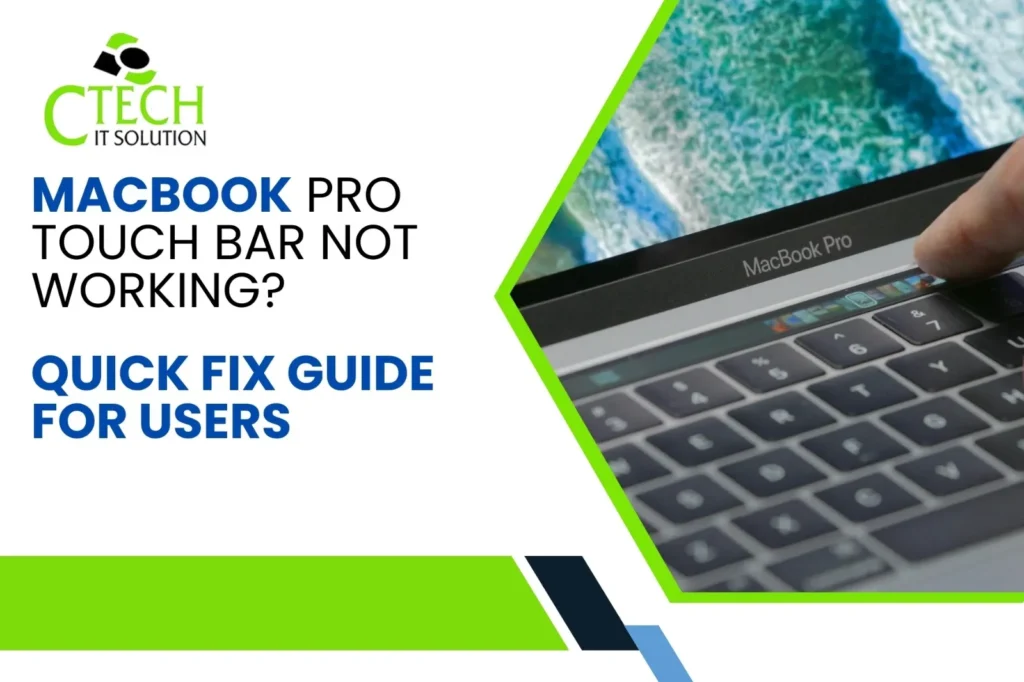
Experiencing Problems with Your MacBook Pro Touch Bar? Best Macbook Repair Service Center in Kolkata Solutions
Facing MacBook Pro Touch Bar Issues? Here’s Why? This common issue can interrupt workflow, especially for designers, developers, and professionals. If your Touch Bar freezes, becomes unresponsive, or disappears, a simple troubleshooting process may help. When problems persist, visiting the best Macbook Repair service center in Kolkata like C Tech IT Solution, led by Chandan Saha, ensures reliable Apple device repair support.
If your MacBook Pro Touch Bar stops responding, freezes, or disappears, it may indicate software glitches, macOS bugs, or hardware issues. Getting help from the best Macbook Repair service center in Kolkata and the best apple repair service center in Kolkata ensures proper diagnosis and repair.
Professionals at C Tech IT Solution provide advanced diagnostics, genuine parts replacement, and expert troubleshooting for Touch Bar problems, ensuring your MacBook performs smoothly again.
What Causes MacBook Pro Touch Bar Not Working?
Identifying the root cause makes it easier to find the right solution.
Common Causes
| issues | Possible Reason | Recommended Fix |
| Touch Bar is not working | System glitch | Restart the Touch Bar service |
| Touch Bar display empty | macOS bug | Upgrade macOS to the latest version |
| Touch Bar is inactive when touched | Software conflict | Reset SMC/NVRAM |
| Touch Bar is flashing intermittently. | Hardware issue | Expert repair service |
| Touch Bar is not working in any capacity. | Flex cable or display issue | Replace Touch Bar module |
Quick Fixes if Your MacBook Pro Touch Bar Stops Working
1. Reboot your MacBook
The simplest fix often solves temporary glitches.
Procedure:
- Select the Apple menu
- Select Restart
- Wait for system reboot
This refreshes the Touch Bar system service.
2. Restart the Touch Bar Using Activity Monitor
process:
- Open Activity Monitor
- Search Touch Bar Agent
- Select Force Quit
This restarts the Touch Bar without rebooting your Mac.
3. Use Terminal Command to Refresh Touch Bar
Open Terminal and type:
Use Terminal to reset the Touch Bar process.
Press press and press your password.
This command refreshes the Touch Bar system process.
Reset SMC to Fix Touch Bar Problems
The System Management Controller (SMC) manages hardware components including keyboard and Touch Bar.
Procedure to Reset SMC
- Shut down MacBook
- Pls press and hold on same time Shift + Control + Option
- Hold power button simultaneously
- You can Let out after 10 seconds
- Turn on MacBook
This often fixes hardware-related Touch Bar glitches.
Update macOS to Fix Touch Bar Bugs
Apple regularly releases updates that fix Touch Bar issues.
Procedure technique:
- Open System configuration
- Click Software Update
- Install latest macOS
Updating macOS often resolves system bugs affecting Touch Bar.
Reset NVRAM to Restore Touch Bar Function
NVRAM stores system settings that may affect hardware.
Process
- Shut down Mac
- Turn on while pressing Option + Command + P + R
- Hold for 20 seconds
- Release keys
This resets display and hardware configuration settings.
When to Visit the Best Macbook Repair Service Center in Kolkata?
If the Touch Bar still fails after troubleshooting, hardware repair may be required.
Indicators of hardware issues
- Touch Bar completely black
- Touch Bar flickering
- Partial Touch Bar working
- Touch Bar not detected by macOS
In such cases, professional repair becomes necessary.
Best Apple Repair Service Center in Kolkata – Professional Touch Bar Repair
If your MacBook has serious problems, reach out to the leading Apple repair center in Kolkata.
Why Choose
C Tech IT Solution
- Apple device specialists
- Experienced repair engineer Chandan Saha
- Genuine spare parts
- Advanced Mac diagnostics
- Fast turnaround repair
- Affordable pricing
They diagnose Touch Bar circuits, flex cables, and logic board components accurately.
MacBook Models implemented with Touch Bar
| MacBook Module | Touch Bar Availability |
| MacBook Pro 13-inch models from 2016 to 2020 MacBook Pro 15-inch editions spanning 2016–2019 MacBook Pro 16-inch variant released in 2019 MacBook Pro M1 version launched in 2020 | Yes |
| Right answer | |
| Right answer | |
| Right answer |
Later MacBook Pro models removed the Touch Bar due to user feedback.
Professional Touch Bar Repair Process
At C Tech IT Solution, the repair process includes:
- MacBook diagnostic scanning
- Touch Bar hardware inspection
- Flex cable testing
- Logic board connectivity check
- Part repair or replacement
- Final quality testing
This ensures reliable long-term repair.
Prevent MacBook Touch Bar Problems
Best Maintenance technique
- Keep macOS updated
- Avoid liquid damage
- Use protective keyboard covers
- Do not force restart frequently
- Avoid overheating
Preventive care reduces Touch Bar malfunction risks.
Quick Fix for MacBook Pro Touch Bar Not Working
How do I fix a MacBook Pro Touch Bar that isn’t working?
Simple procedure are:
- Restart your MacBook
- Restart Touch Bar Agent in Activity Monitor
- Use Terminal command to reset Touch Bar
- Reset SMC and NVRAM
- Work on macOS
- Visit the best Macbook Repair service center in Kolkata if hardware repair is needed
Conclusion
If your MacBook Pro Touch Bar Not Working, quick troubleshooting like restarting the system, resetting SMC or updating macOS can often resolve the issue. However, persistent problems may indicate hardware faults. In these situations, consulting the top MacBook repair and Apple service center in Kolkata, such as C Tech IT Solution, guarantees accurate diagnostics and expert repair services
FAQ
What causes my MacBook Pro Touch Bar to stop working?
Your MacBook Pro Touch Bar may stop working due to software glitches, outdated macOS, system process errors, or hardware damage such as flex cable failure.
How do I reset the Touch Bar on MacBook Pro?
You can reset it by opening Terminal and typing:
Run the command to restart the Touch Bar server.
This restarts the Touch Bar process instantly.
Can a broken Touch Bar be repaired?
Yes. If the issue is hardware related, professionals at the best apple repair service center in Kolkata can repair or replace the Touch Bar module.
How much does MacBook Touch Bar repair cost in Kolkata?
The repair cost depends on the MacBook model and damage level. A professional diagnosis at C Tech IT Solution helps determine the exact repair price.
Where is the best Macbook Repair service center in Kolkata?
C Tech IT Solution, led by Chandan Saha, is known for professional MacBook diagnostics and reliable Apple device repair services.

Pranab kundu
pranabkundu
Related Posts


Recent Posts
When To Replace Your MacBook Battery?
Mar 26, 2026
MacBook Battery Dying Fast? Fix It!
Mar 24, 2026